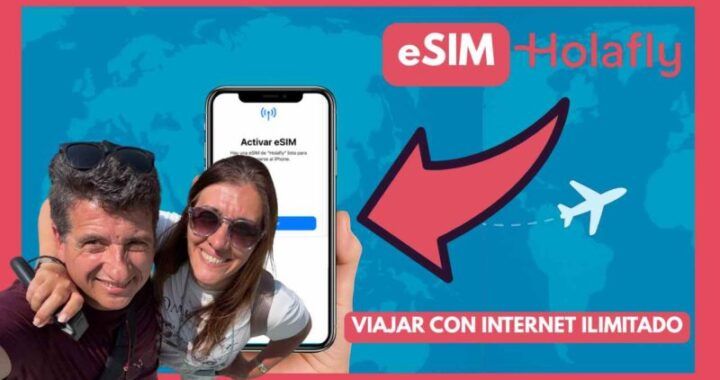
Travel companions, we’ve just returned from touring some countries in the Balkans. Many of you saw the images on social media, and like us, I think you’re already fascinated with the destination. The questions keep coming back. Why do you choose Holafly eSIMs to stay connected? How do I buy them? Are they easy to install and activate? Can you explain?
So here we go with our answers. While these are from ordinary travelers, we have the experience of using Holafly eSIMs on all our trips around the world. But if you have any questions, don’t forget to contact Holafly’s support service, which is available 24/7.
Indice:
Why did we choose Holafly eSIMs?
Because Holafly’s eSIMs offer coverage in more than 200 destinations, most of them with unlimited internet. Also, because I can customize the number of days; if I’m traveling for three days, I choose that amount and don’t need to use it for a week, for example. Another thing: You can share internet with another device, up to 1GB per day.
Discount code for your purchase: EUROPAACOMPANADA5

What is an eSIM?
It’s like a chip in a cell phone, but digital. You don’t need to insert anything physical into the phone: you activate it by scanning a code, and that’s it, you’re connected to the internet. Ideal for traveling without having to search for places to buy SIM cards or find Wi-Fi. And very importantly, you keep your WhatsApp number and contacts.
Is my mobile phone compatible with eSIM technology?
Most newer cell phones are compatible, but not all. It’s best to check Holafly’s website, where they have an updated list of compatible models. I recommend doing this first.
How do I purchase a Holafly eSIM?
You go to the Holafly website or app, choose the country or region you’ll be traveling to, select the days, and that’s it: you’ll receive a QR code in your email to activate it, or you can also activate it from the app. It’s super easy and fast.
Pay attention, if you use my code EUROPAACOMPANADA5, you get a discount on your purchase.
Here I’ll expand. I said country or region. If you’re planning to use multiple countries within a region, it’s ideal to choose the regional one, for example, Europe, so you don’t have to change eSIMs when crossing borders. Display “TECHNICAL SPECIFICATIONS” and “COVERAGE” and the countries where you’ll have internet access with that regional plan will appear. And choose, as I already mentioned, the number of days you want.
After the purchase, you’ll receive an email with the QR code, or you can also find it in the app by logging in with the same email address you used to make the purchase. This is more convenient for me.

How do I install the Holafly eSIM?
Let’s talk about the ways we have to install the Holafly eSIM.
1-Scan the QR code that you received after purchase.
You can scan the QR code that arrived in your email, not from the camera, but from your mobile phone’s settings, under Add eSIM. For this, you need a stable internet connection and have the QR code on another screen or bring it printed; the latter may be more convenient.
2- Manual installation from your mobile phone settings.
The same email contains a numeric code and activation details (SM-DP+ Address and Activation Code).
You are going to Add data plan > Enter manually.
You paste that data into your phone and it installs without scanning.
Useful if you can’t use the camera or don’t have the QR code at hand
3- And finally, one-button installation, available for iOS 17.4 or higher
I always do it this way, from the app on my iPhone.
Download the Holafly app from the App Store if you don’t have it yet.
- Iniciá sesión con el mismo correo que usaste para comprar la eSIM.
- Once logged in, go to My eSIMs, where the one you already purchased will appear. Make sure you have a stable internet connection at this time.
- You’ll see your eSIM on the app screen. Tap “Install eSIM.”
- Your iPhone will ask if you want to add a data plan. Tap “Continue.”
- You’ll then be asked to confirm if you want to add it. Tap “Add mobile data plan.”
- Choose a name to identify the eSIM (for example: Holafly or Europa Travel).
- When asked which line to use for mobile data, select the Holafly eSIM. For everything else, choose your primary line.
And that’s it! It’s now installed, all you need to do is activate it on the day of your trip (when you arrive at your destination).
- Finally, upon arriving at your destination, be sure to activate data roaming for that Holafly line and start enjoying your connection from the moment your plane lands.
The process is the same if you scan the QR code. For Android, the steps are also similar.
Things to check before buying it
- Make sure your phone accepts eSIM technology. You’ll find a list of models on the website.
- Make sure your phone company doesn’t block your cell phone. This applies to any internet option you choose.
- And enter the code EUROPAACOMPANADA5 to get the discount!!
Get a Holafly eSIM for your next trip and enjoy unlimited data!
Have a good trip!!!
NOTE: The information in this article is based on our own experience and is completely objective. This article contains affiliate links.